Five-step walkthrough
Walkthrough: Marginalia
Five screenshots in the order I would talk through them. Each step names what to look at, and every chip and Prev/Next link is a real URL fragment.
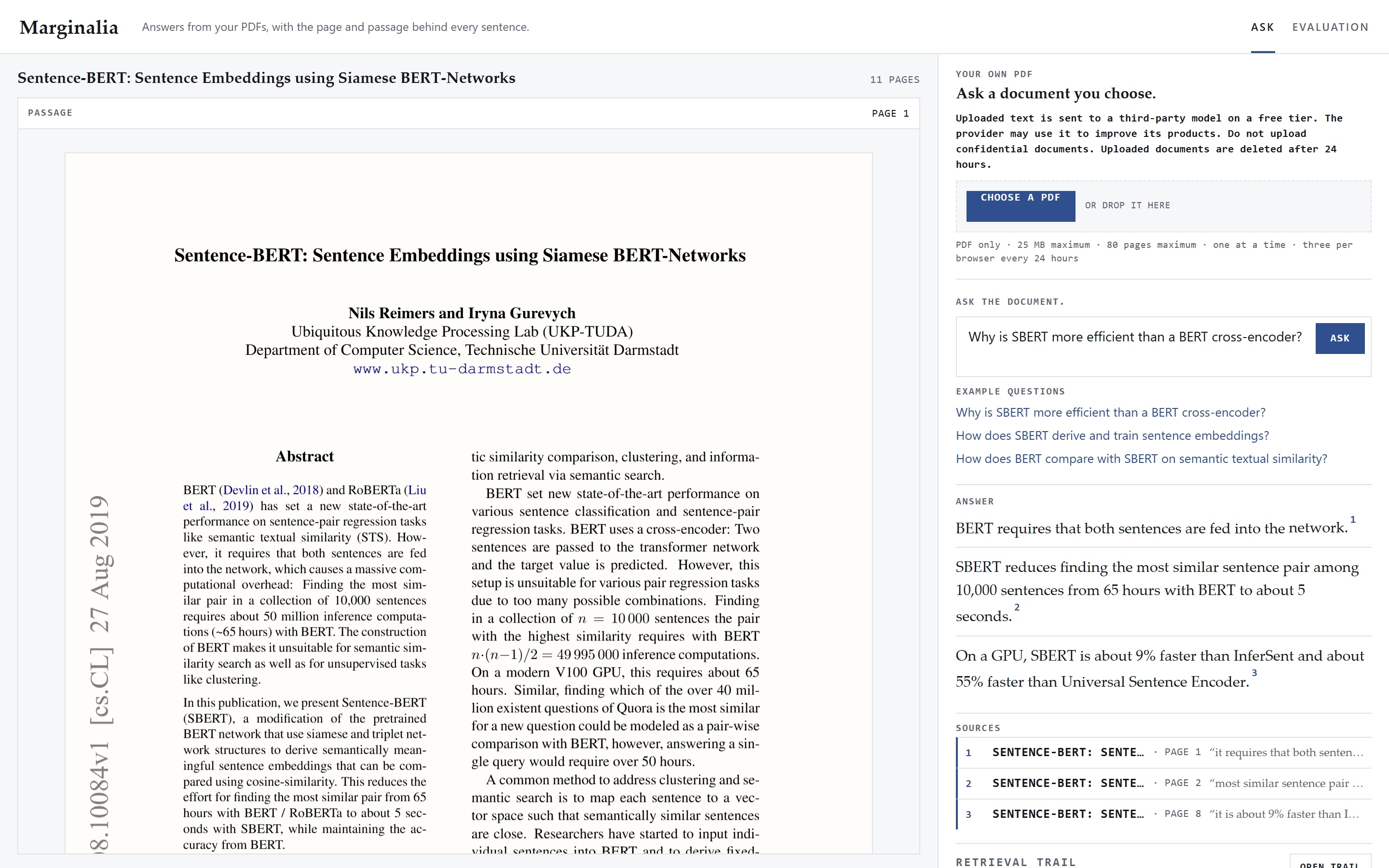
Step 1 of 5
The ask page names the model
The landing page sets the seeded Sentence-BERT paper beside a right column with the third-party model disclosure, the Choose a PDF drop zone and the 24-hour deletion notice. The question field sits beneath them, above a three-claim recorded answer with its source rows.
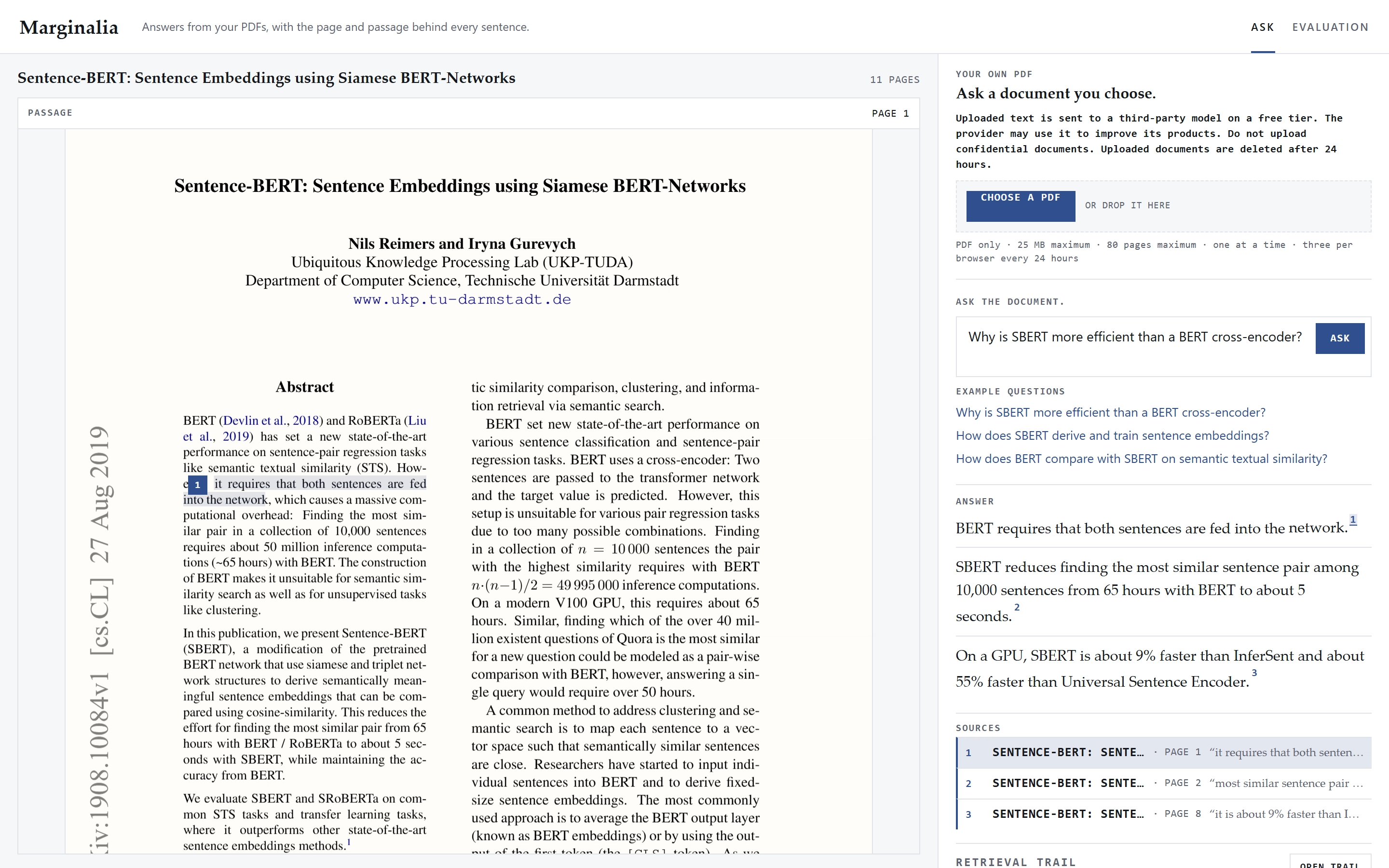
Step 2 of 5
Citation 1 resolves on page 1
Selecting claim 1 opens page 1 of the Sentence-BERT paper and marks the quoted sentence in the page text with a margin marker. The same quote appears in the selected source row, so the answer pane and the page agree.
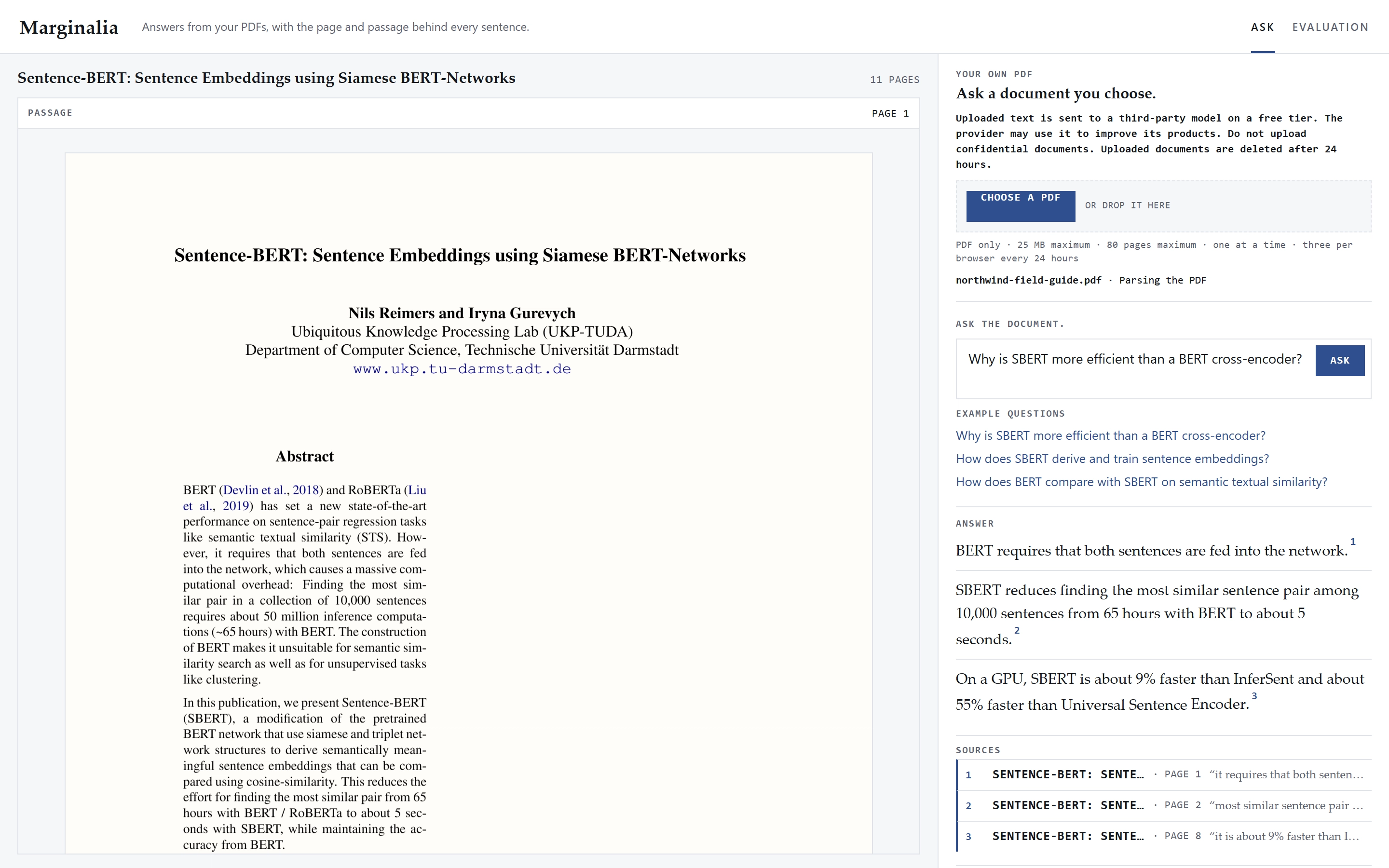
Step 3 of 5
The stage line names the parse
A visitor drops northwind-field-guide.pdf into the upload panel, and the stage line on the page reads Parsing the PDF. The disclosure above the drop zone names the third-party model, the 25 MB upload cap and the 80-page limit, and the notice says the file is deleted after 24 hours.
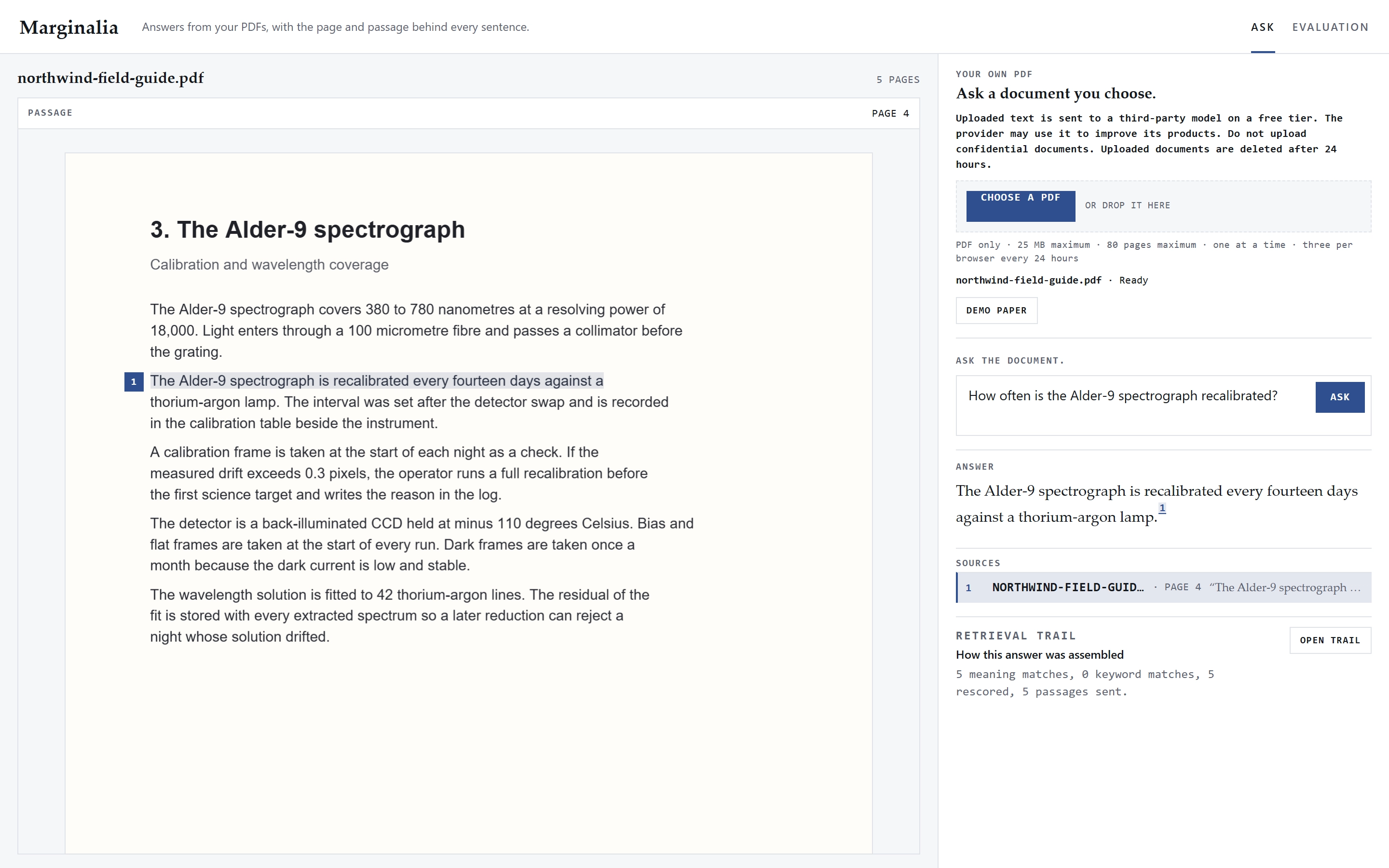
Step 4 of 5
The visitor's page answers the question
The uploaded field guide opens on page 4 with the Alder-9 recalibration sentence highlighted and margin marker 1 beside it. The source row names northwind-field-guide.pdf, so the citation resolves against the visitor's own document.
Step 5 of 5
Each claim carries its source
The answer pane lists three claims, and each one lists the page and the start of the quote it matched. The selected row is the one whose quote is marked in the page text on the left.