Five-step walkthrough
Walkthrough: CI/CD pipeline with gates that block and a recorded rollback
Five screenshots in the order I would talk through them. Each step names what to look at, and every chip and Prev/Next link is a real URL fragment.
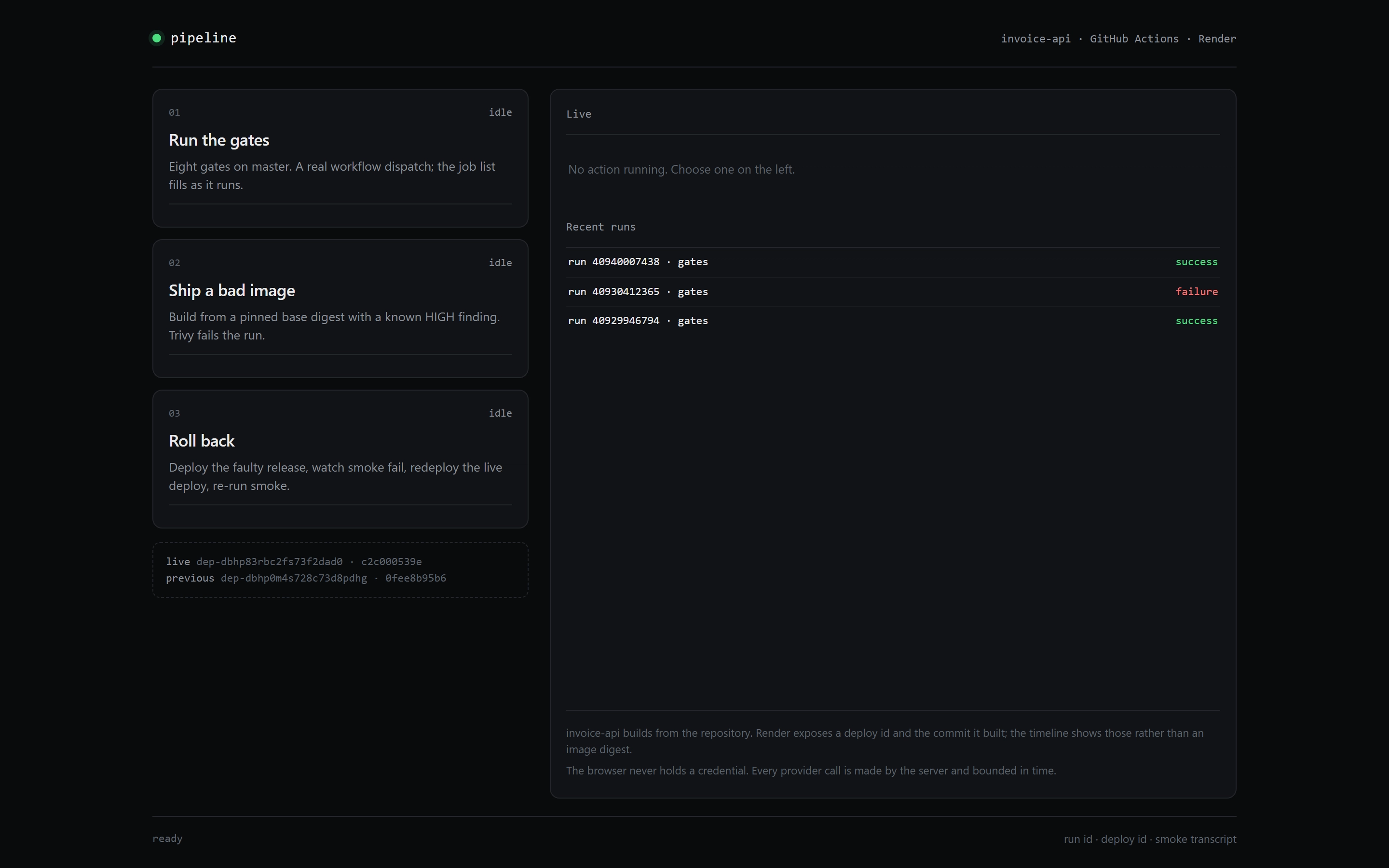
Step 1 of 5
Three actions and one live panel
The demo page lists Run the gates, Ship a bad image and Roll back as three cards, each with the command it dispatches. The Live panel beside them reports no action running, and the recent-runs table lists the last three gate runs with their outcomes.
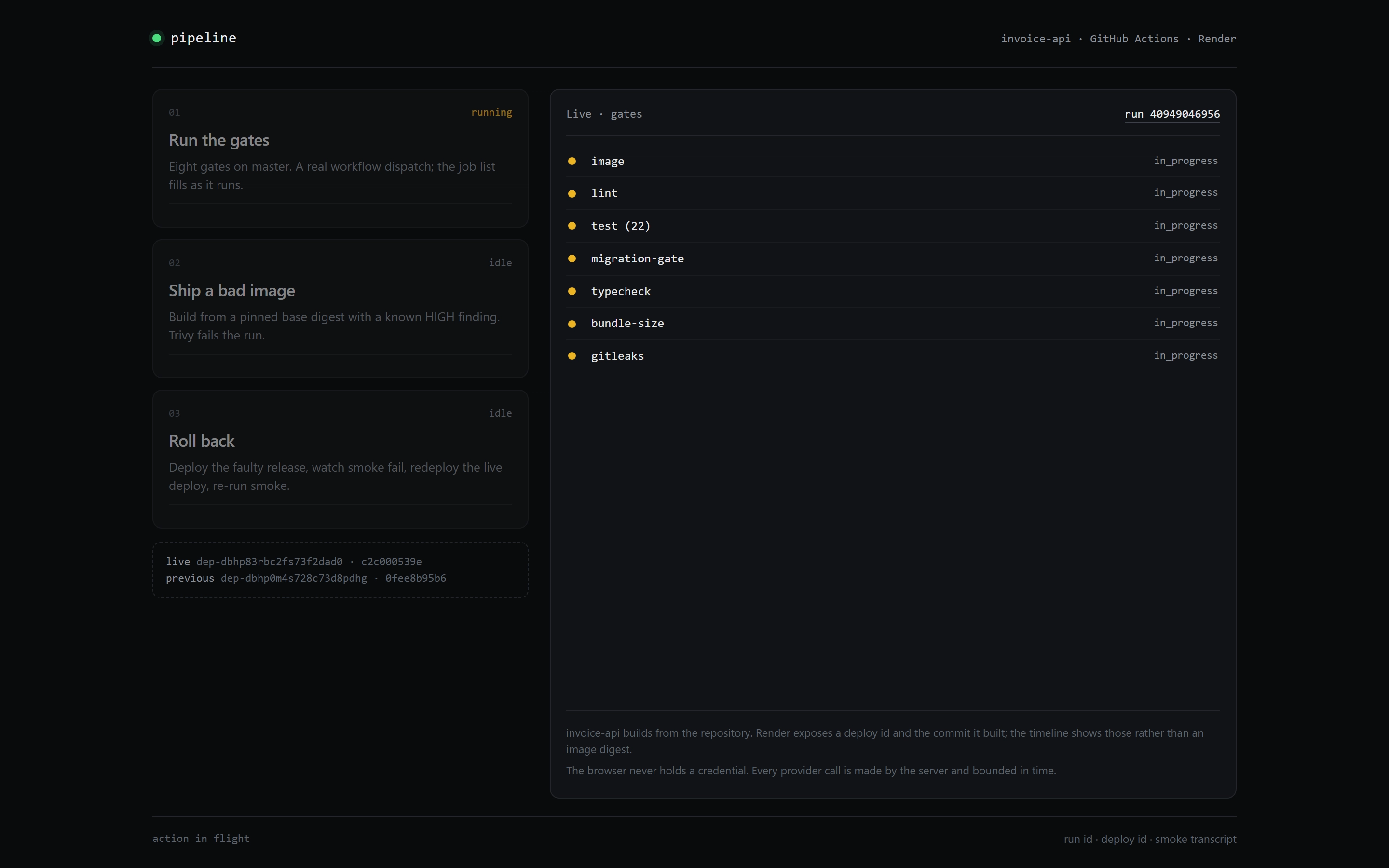
Step 2 of 5
The job list turns under a run
The demo page opens run 40948040956 with the image job, then lint, test (22), migration-gate, typecheck, bundle-size and git-leaks. Each row carries a turning dot and reads in progress while the status line says action in flight.
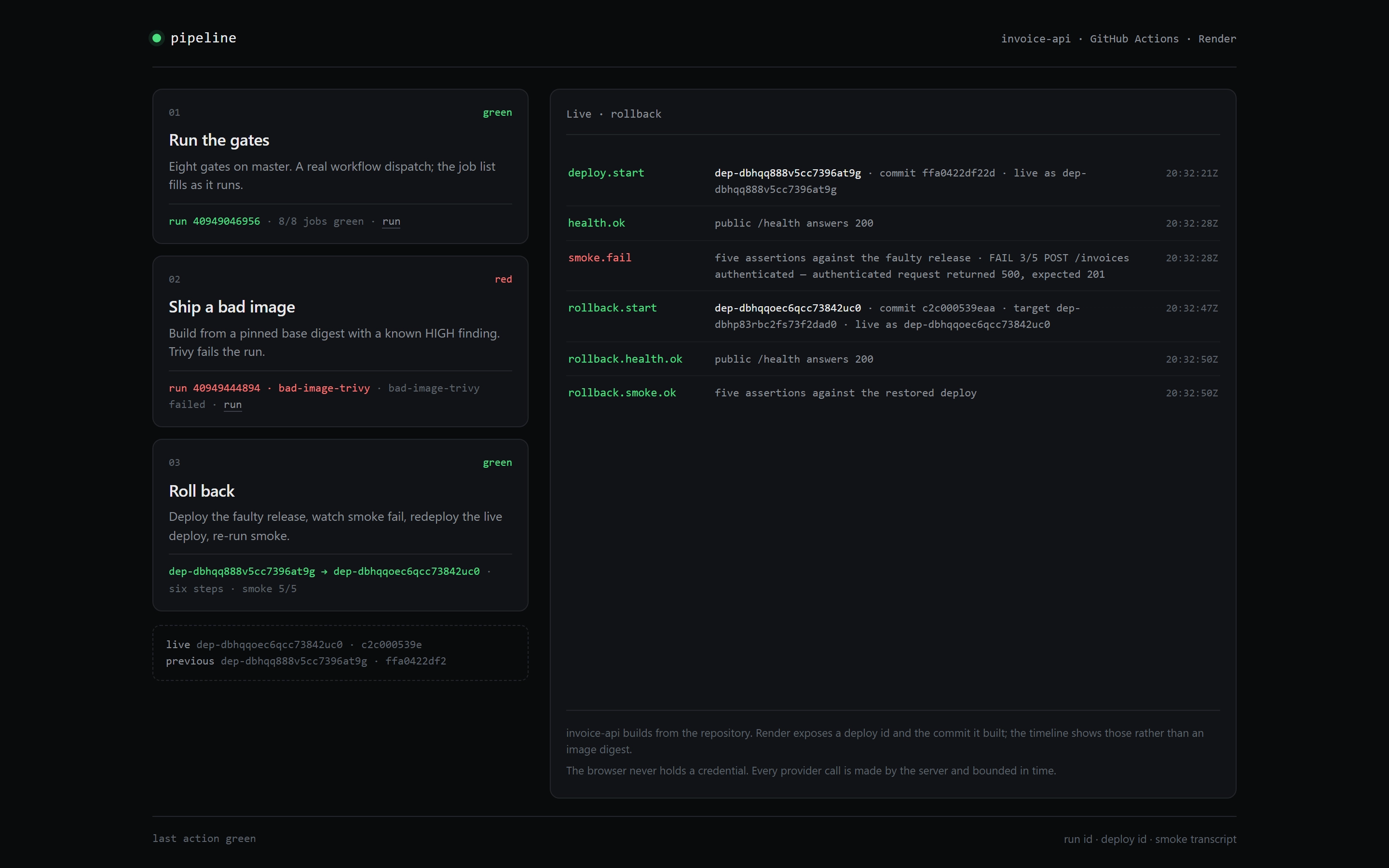
Step 3 of 5
Six steps and two deploy ids
The timeline on the demo page runs deploy.start, health.ok, smoke.fail, rollback.start, rollback.health.ok and rollback.smoke.ok in order. The rollback step names dep-dbhpqeeqcfc7384uzc0 as the live deploy and dep-dbhpq88b9cc7c7394bfg as the previous one, and the card reads six steps and smoke 5/5.
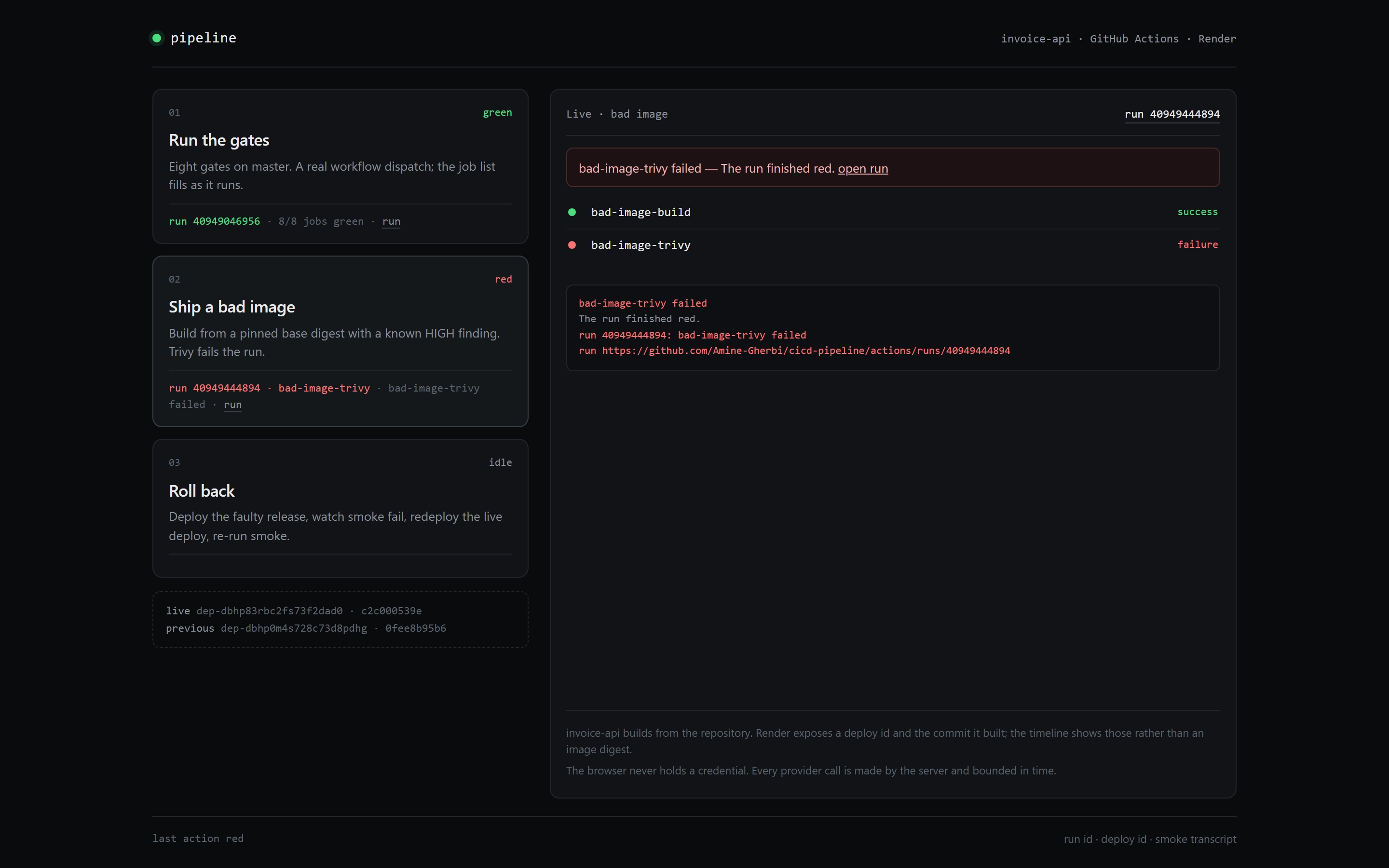
Step 4 of 5
A known HIGH finding turns red
The bad-image run on the demo page separates the build from the scan: bad-image-build reports success and bad-image-trivy reports a HIGH finding. The banner names the scan job and the run finishes red, so the gate withholds the release.
Step 5 of 5
The footer names both deploys
The footer of the demo page pairs the live deploy dep-dbhpqeeqcfc7384uzc0 at commit c12a00539a with the previous deploy dep-dbhpq88b9cc7c7394bfg at commit ffae82df2f. Above it, the recent-runs table keeps the last three gate runs and their outcomes in view.